
It is essential to document all attendees when completing activity attendance so the system can capture accurate gender and age breakdowns for reporting.
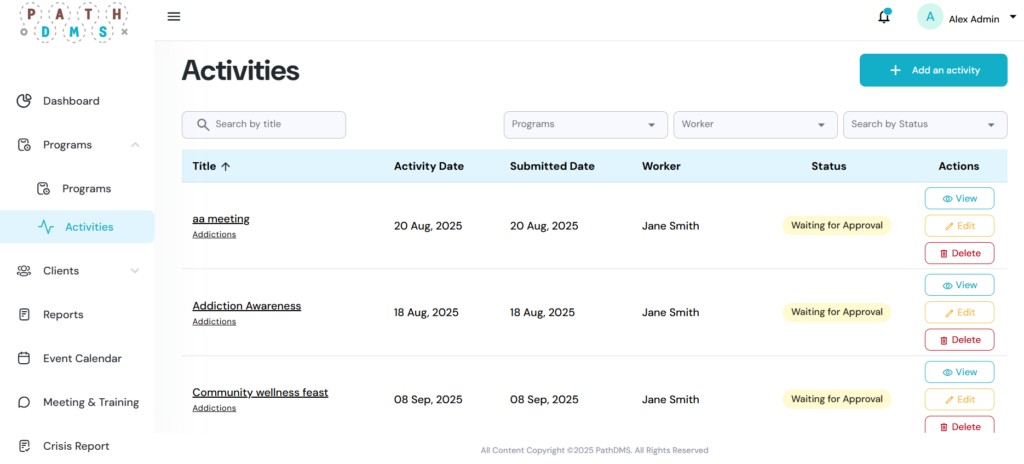
Step 1 – Navigate to the Activities Page
- From the left sidebar, click on Activities.
- Open the activity you are completing and proceed to the final step of the form titled Participants.
Step 2 – Enter Participation Details
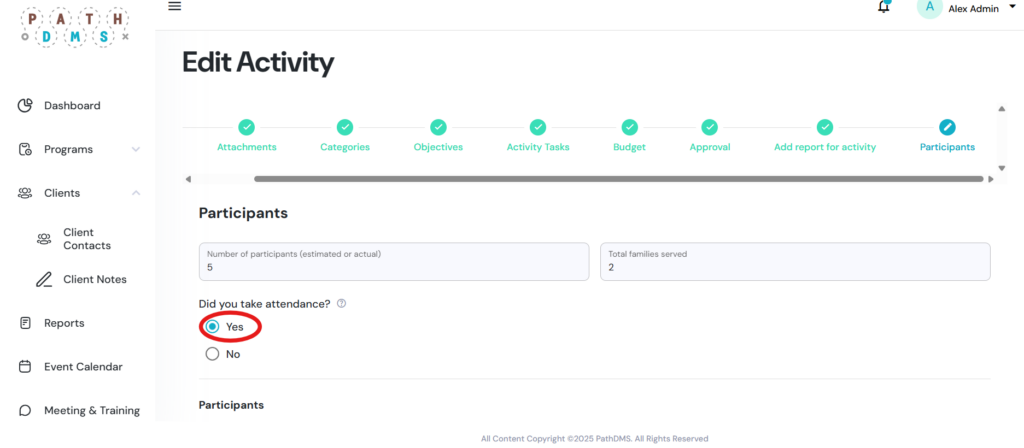
- Select Yes when asked “Did you take attendance?”
- In this section enter:
- The number of participants who attended the event
- The number of families served (if known)
Step 3 – Add Attendees
- If an attendee is not in the system, not part of the community, or you do not know their name, type “Unknown” into the search bar.
- A list of “Unknown” options will appear. Select the category that best matches the attendee’s age and gender:
- Unknown Male Child (ages 0–14)
- Unknown Female Child (ages 0–14)
- Unknown Male Youth (ages 15–24)
- Unknown Female Youth (ages 15–24)
- Unknown Male Adult (ages 25–64)
- Unknown Female Adult (ages 25–64)
- Unknown Male Senior (ages 65+)
- Unknown Female Senior (ages 65+)