
The cloning function is particularly useful for activities that occur weekly or repeatedly, as it eliminates the need to recreate the activity from scratch each time.
Step 1 – Access the Activities Page
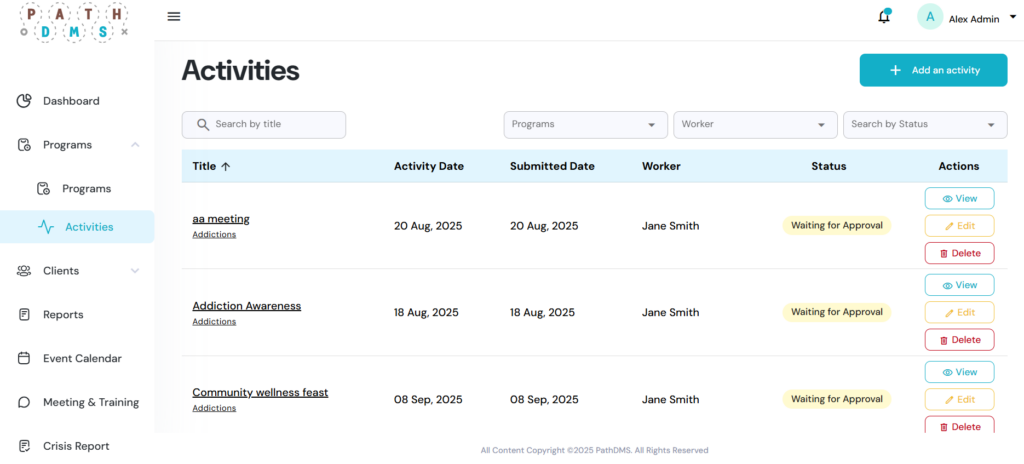
- From the left sidebar, click on Activities.
- You will see a list of existing activities with details such as title, activity date, submitted date, worker, and status.
Step 2 – Open the Activity that you want to clone
- Click the title of the activity you want to clone. This will open the activity overview page.
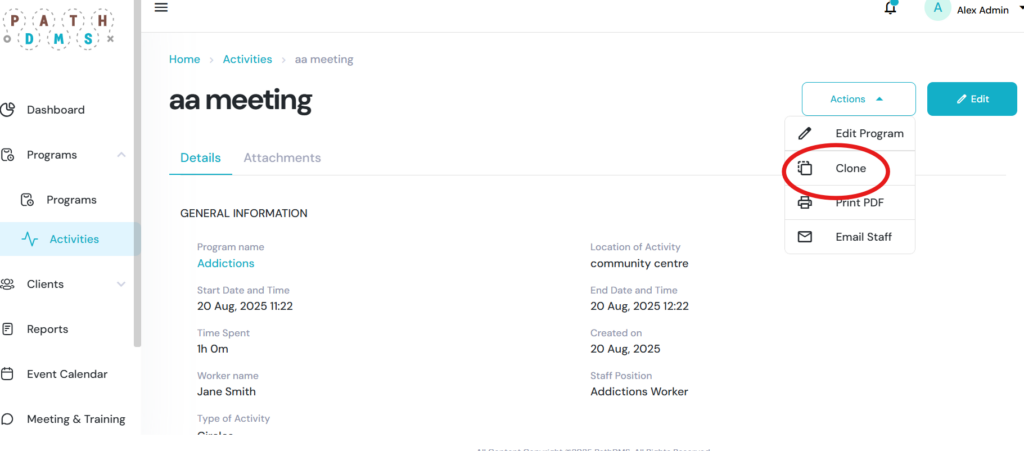
- From the overview, select Actions and choose Clone from the dropdown menu.
Step 3 – Edit the Cloned Activity
- The cloned activity will automatically populate all details from the original. Review each section and update any information that requires modification. Be sure to edit items such as the event date, participant names and numbers, and any other relevant details.