Not all users have permission to delete an activity. If you believe an activity needs to be deleted but you are unable to do so, please contact your supervisor.
Step 1 – Access the Activities Page
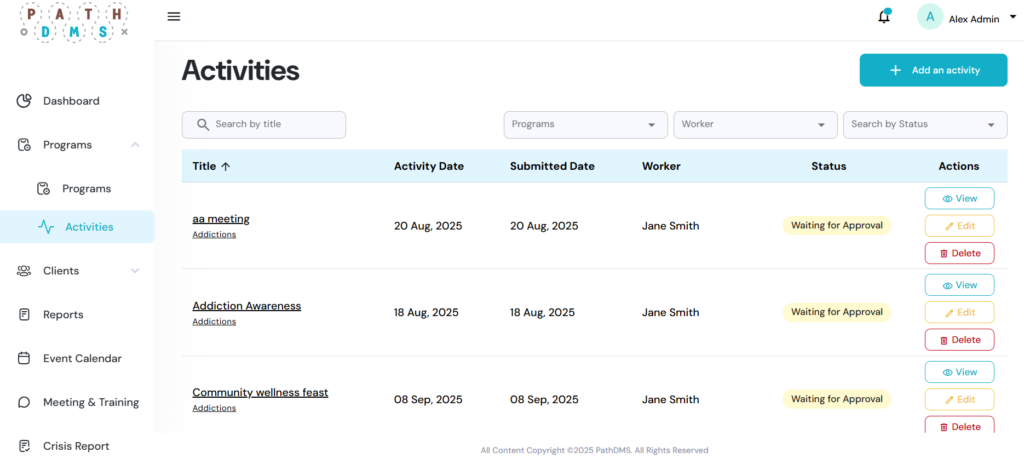
- From the left sidebar, click on Activities.
- You will see a list of existing activities with details such as title, activity date, submitted date, worker, and status.
Step 2 – Delete the Activity
- On the right-hand side, select the red “Delete button”.
- A confirmation message will appear asking you to verify the deletion. Select OK to permanently remove the activity.
